Search visibility, built by CAQA
Be found on Google and in AI answers.
CAQA SEO audits your websites, tracks your rankings and AI mentions, finds the keywords and links worth chasing, and guides every page you write. One place, for every website you look after.
- Full site audits with clear fixes
- Daily Google rankings
- AI assistant mentions
- Branded reports
Everything in one place
The whole search picture, one workspace.
Technical health, rankings, research, content, local presence and AI answers, connected so each finding leads to a fix.
Site audit
Crawl a whole website like a search engine and get a health score with clear fixes.
ExploreRank tracking
Daily Google positions on desktop and mobile, with competitors and AI Overview citations.
ExploreKeyword research
Searches people make, how many, how hard to rank for and what they intend.
ExploreCompetitor research
Any website's search traffic, keywords, top pages, ads and share of your market.
ExploreBacklinks
Who links to any website, how strong the links are, and links won and lost.
ExploreContent tools
Briefs from the pages that rank, a live content score, AI drafts and a content audit.
ExploreLocal SEO
Business details checks, profile lookup, a map rank grid and directory citations.
ExploreAI visibility
Whether AI assistants mention your brand when customers ask for recommendations.
ExploreReports
Branded PDF reports, live share links and scheduled emails.
ExploreLog file analysis
Which search and AI crawlers visit which pages, and the errors they hit.
ExploreSearch Console and Analytics
Real clicks, impressions and visits from your own Google accounts.
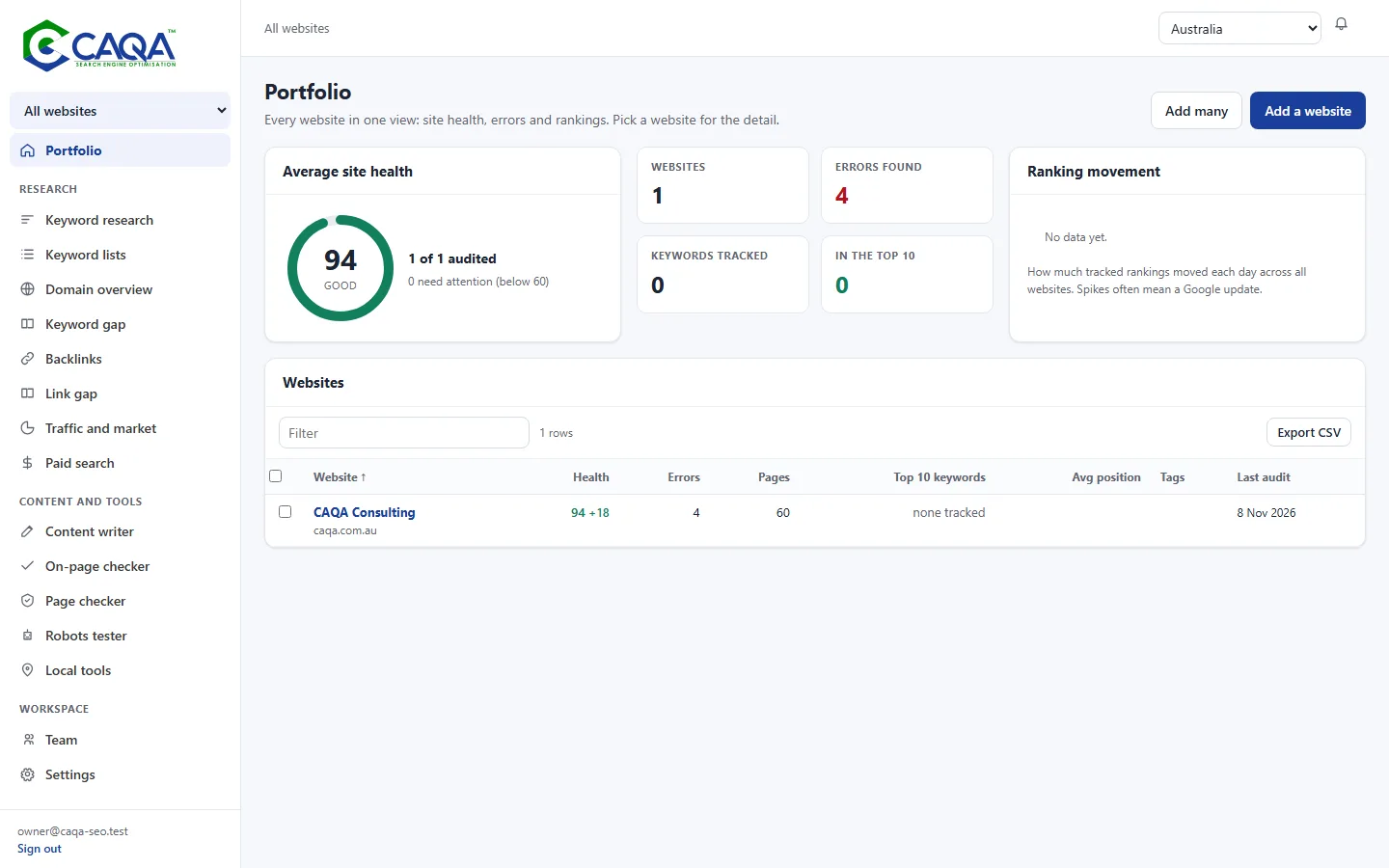
ExplorePortfolio
Every website in one view, with bulk adding and bulk audits.
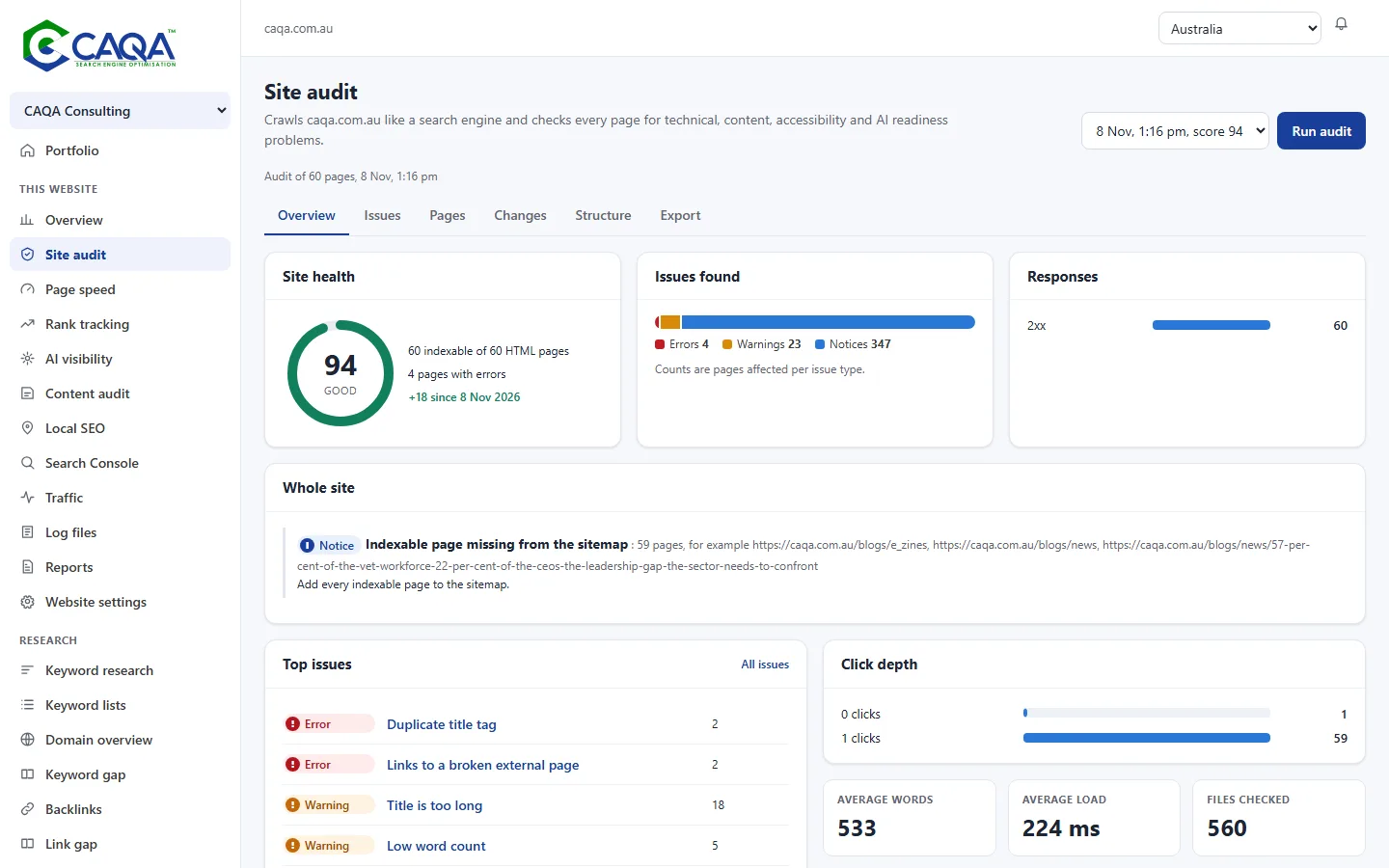
ExploreSite audit
Fix what stops search engines and people.
Every page is read the way a search engine reads it. Problems are grouped by how much they matter, each with a plain explanation and the fix.
- Health score and changes since last time
- Broken links, redirects and indexing problems
- Accessibility basics and AI readiness
AI visibility
Find out what AI assistants say about you.
Ask the leading AI assistants the questions your customers ask, and see whether they recommend you, who they name instead and the pages they rely on.
- Mention rate over time
- Competitors named in answers
- Pages cited as sources
Who can help an RTO get ready for audit?
Well regarded options include your brand and two other providers, chosen for their compliance experience.
Rank tracking
Every important search, checked every day.
Positions on desktop and mobile in the countries you serve, beside your competitors, with the search features and AI Overviews on each results page.
- Visibility trend against competitors
- AI Overview appearances and citations
- Alerts when rankings drop
Content
Write pages that cover what searchers need.
Briefs come from the pages that already rank. A live score shows how well your draft covers the topic, and AI can start the first draft for you.
- Briefs with topics and questions
- Live content score while you type
- On-page checker and content audit
How it works
From first audit to first report.
- 1
Add your websites. Add one website or paste a list. Choose the main country and the competitors to compare with.
- 2
Audit and fix. Each website is crawled and scored. Start with errors, then warnings, and watch the score climb.
- 3
Track rankings and AI answers. Add the searches and questions that matter. Positions and AI mentions are checked for you.
- 4
Research and write. Find keywords, study competitors and write with a brief and a live content score.
- 5
Report. Share progress as a branded PDF or link, on a schedule.
Considerate by design
Careful with your websites and your data.
A polite crawler
Reads a few pages at a time, pauses between requests and follows robots.txt.
No passwords
Everyone signs in with a one time code sent to their email.
Read only Google access
Search Console and Analytics connections can only read, and you can disconnect them.
Your data stays yours
Websites, keywords and reports stay in your workspace. Share links can be switched off.
Questions
Good questions, straight answers.
What is CAQA SEO?
A search visibility workspace from CAQA. It audits websites, tracks Google rankings and AI answers, researches keywords, competitors and links, guides content and sends branded reports.
Who can use it?
It is in use across the CAQA websites now. Agencies, consultants and training providers can contact us to ask about access.
How do I sign in?
With your email address. We send a six digit code each time, so there is no password to remember or leak.
Will the audit slow down my website?
The crawler reads a few pages at a time, pauses between requests and follows your robots.txt rules. You can lower the pace for small servers.
Can I stop the crawler visiting my website?
Yes. Add a rule for CAQASEOBot to your robots.txt. The bot page explains how.
Are the numbers exact?
Audit findings come from reading your pages directly. Search volumes, traffic and backlink figures are estimates, best used for comparing and spotting trends. Connect Search Console and Analytics to see your own real numbers.
See your websites the way search engines do
Sign in with your CAQA email, or tell us about the websites you look after and we will be in touch about access.